Vertex Colors
Assigns a color to each vertex of a geometry. Colors are interpolated just like any other buffer attribute.
Mixing Colors and Textures
Section titled “Mixing Colors and Textures”Before PBR graphics, vertex coloring was often used to add depth to a scene’s colors. By combining the vertex color data with texture data, you can, for example, darken areas of a scene where there shouldn’t be as much light or add color to a part of the scene that uses a grayscale texture. This can be especially useful for scenes that don’t use global illumination.
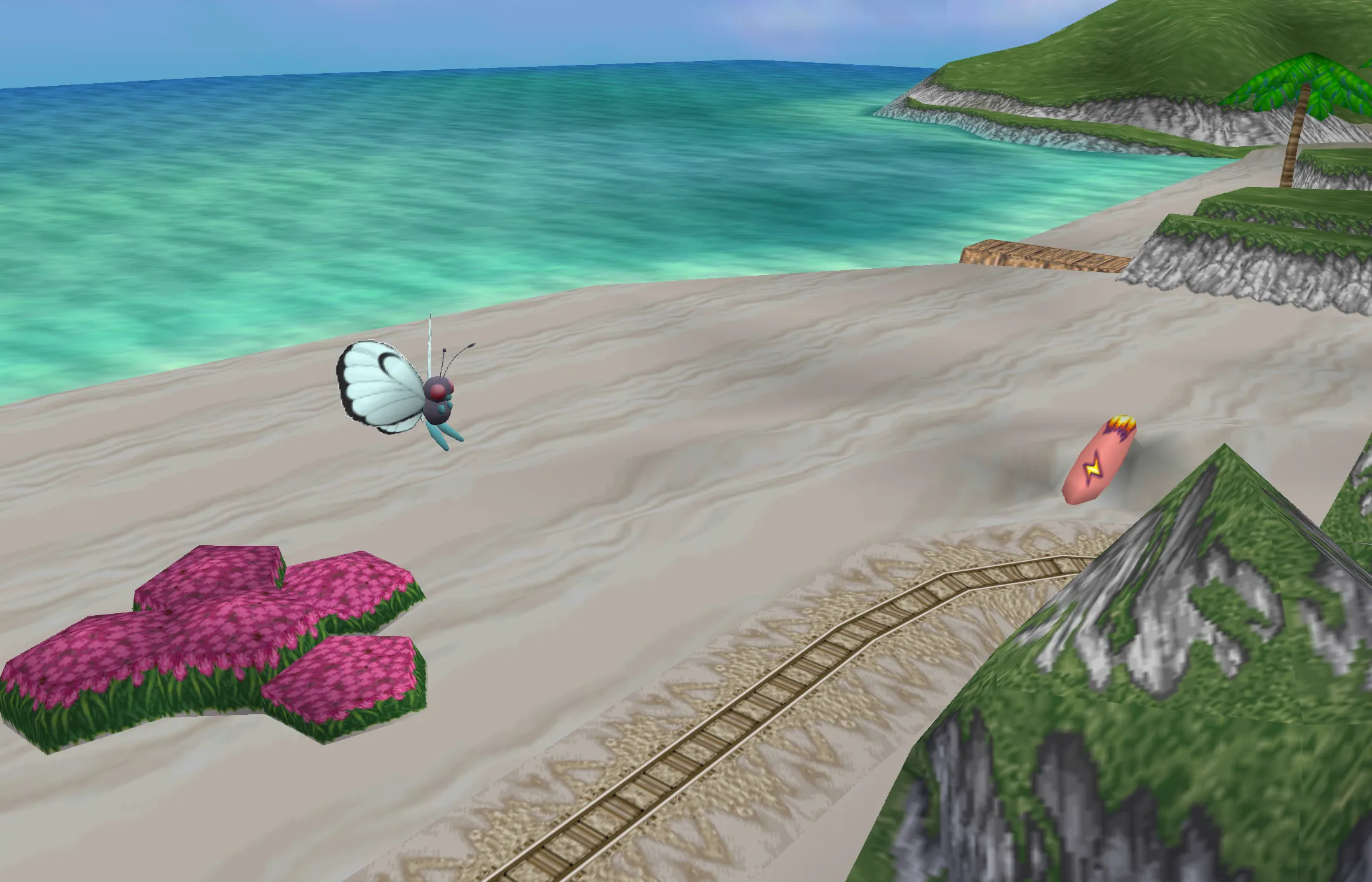
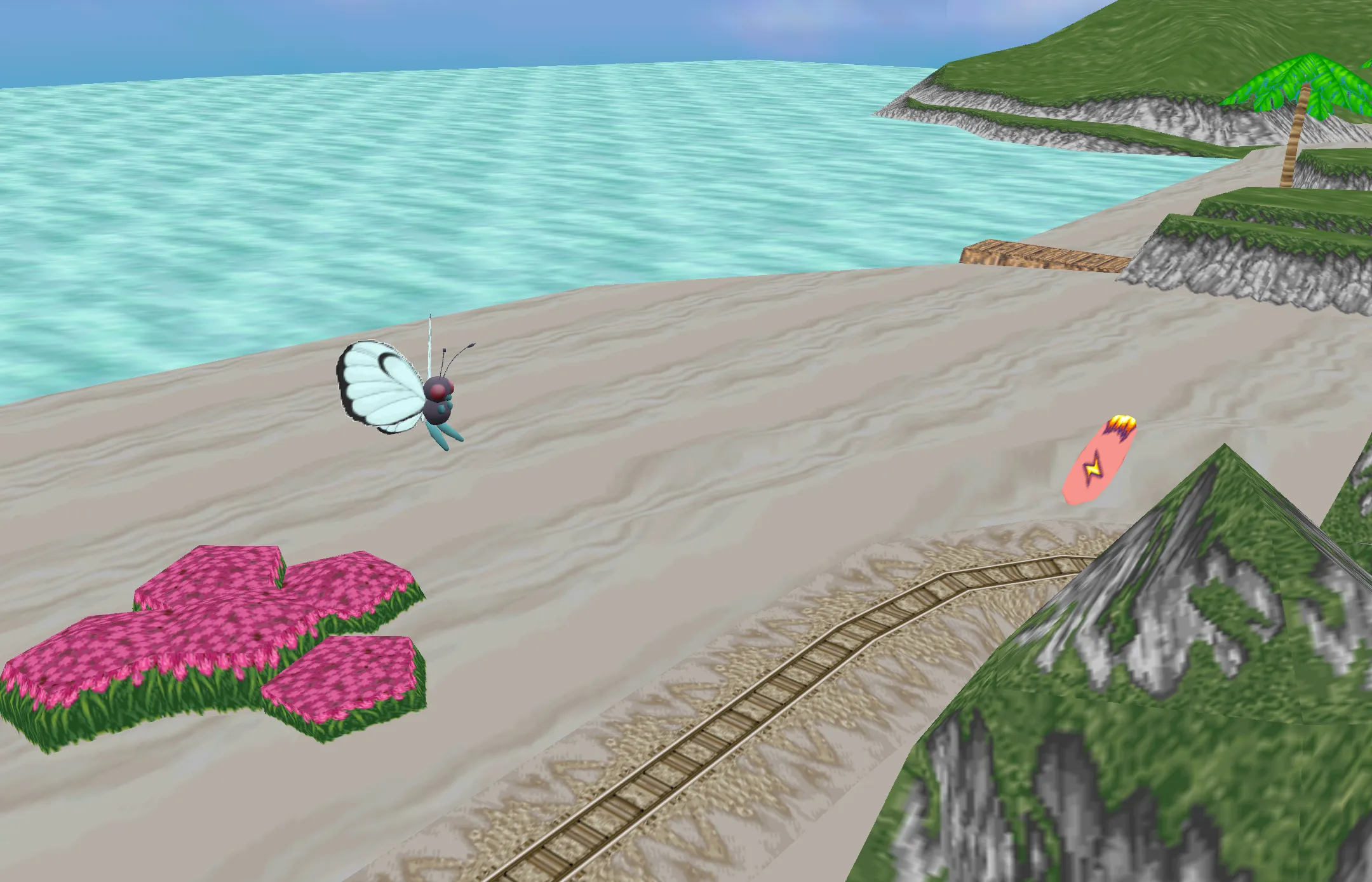
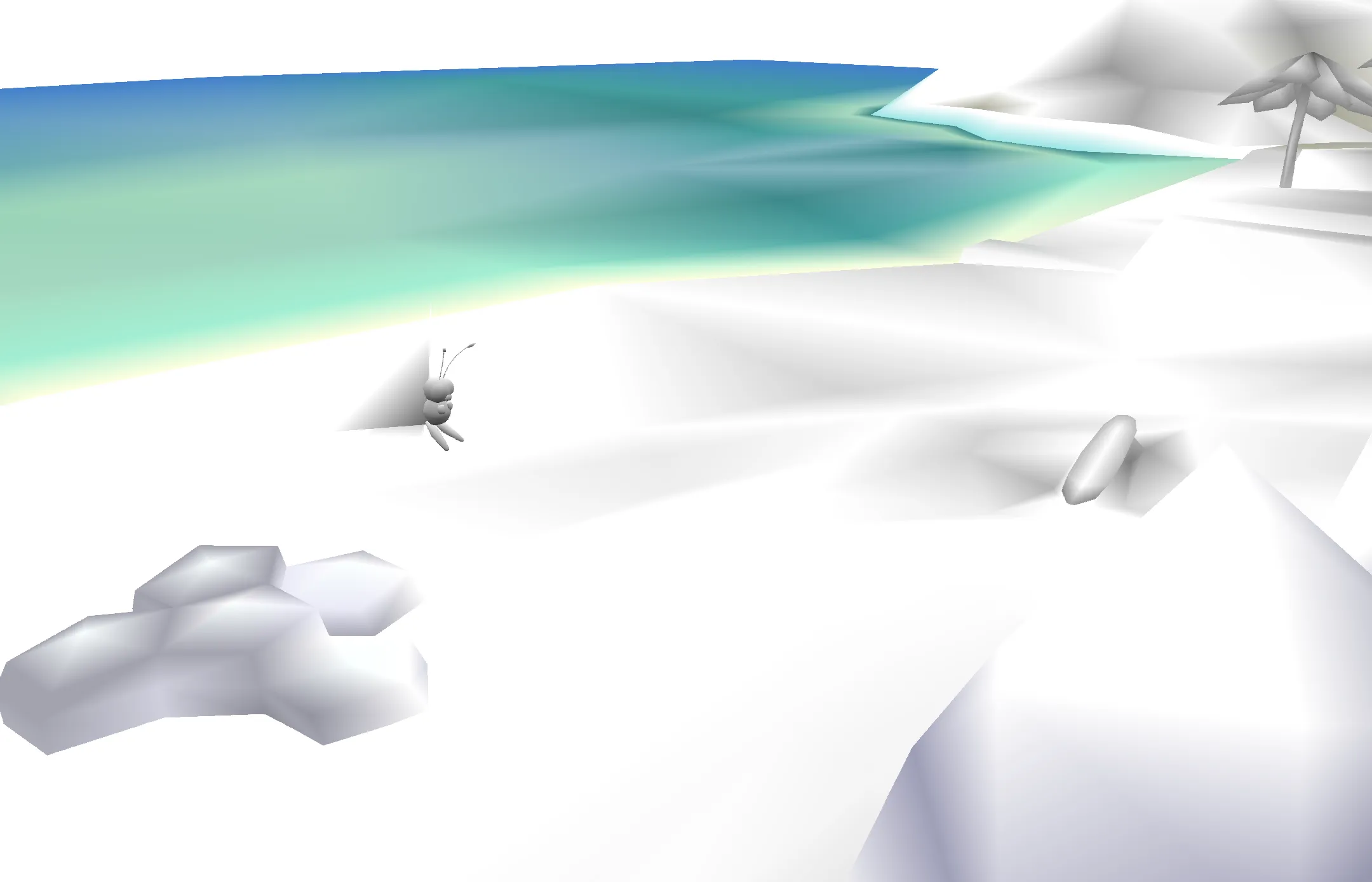
Notice that the vertex color data is used to add a bit of darkness to the corners of the scene, for example around the surfboard, butterfree’s wings, and the flowers. Because vertex colors are a buffer attributes they are interpolated. This is why they appear as gradients.
Interestingly, the water’s vertex color is used to give a sense of where the water isn’t as deep such as along the shoreline.
Representing Data Through Coloring
Section titled “Representing Data Through Coloring”You can use vertex colors to represent data that can be expressed through a geometry’s vertices. This really only works if the data is per vertex and it can be interpreted correctly when interpolated.
Resources
Section titled “Resources”- noclip.website a digital museum of video game levels